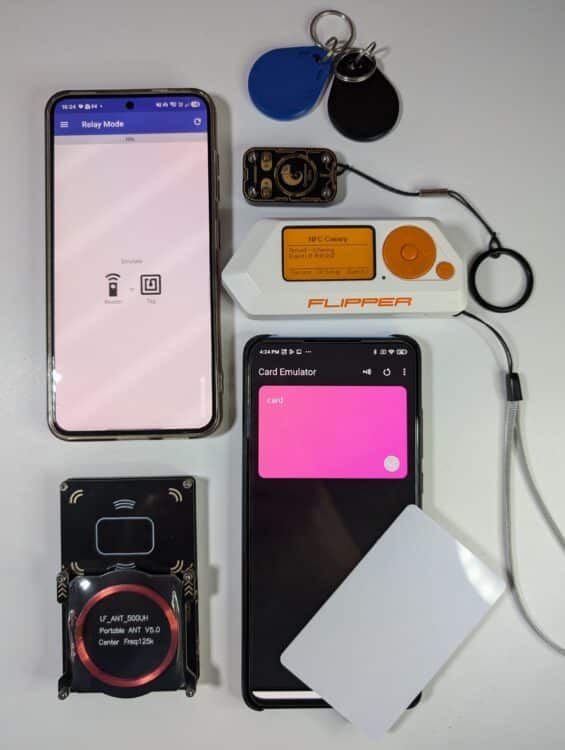
Most of us carry NFC cards every day without even thinking about it. Your office badge. Your apartment key card. Your gym membership card. Your contactless payment card. They’re convenient, fast, and usually just work.
But have you ever wondered what would happen if someone deliberately tried to scan those cards while they were still in your pocket or backpack?
A new Flipper Zero application called NFC Canary aims to answer exactly that question. Instead of interacting with cards itself, it acts as an early warning system that alerts you whenever a nearby NFC reader attempts communication.
I recently tested NFC Canary against several real-world tools used by security researchers and penetration testers, and it raises an interesting question:
How real is the threat of NFC card cloning, and can we actually detect it?
First, What Is NFC?
NFC stands for Near Field Communication.
It’s a technology that allows devices to exchange information when they’re very close together, typically within a few centimeters.
You use NFC more often than you probably realize:
- Contactless payment cards
- Mobile wallets such as Google Pay or Apple Pay
- Office access badges
- Hotel room key cards
- Public transportation cards
- Smart locks
The short communication distance is often viewed as a security feature. However, attackers can still use specialized equipment to interact with NFC cards without the owner’s knowledge if they can get physically close enough.
What Is NFC Card Cloning?
The term “card cloning” is often misunderstood.
Many people imagine an attacker briefly walking past them and instantly creating a perfect copy of every card in their wallet.
Reality is usually much more complicated. Different NFC cards use different security technologies. Some older or poorly configured cards may be vulnerable to cloning. Others use cryptographic protections specifically designed to prevent unauthorized duplication.
In general, an attacker trying to clone a card must first:
- Detect the card.
- Communicate with it.
- Read available data.
- Potentially collect additional information or cryptographic material.
- Create an emulated or cloned version.
Depending on the card technology, this process may take anything from a fraction of a second to 30 seconds. If somebody is attempting to interact with your card, knowing about it is better than having no visibility at all.
Meet NFC Canary
NFC Canary is an application for the Flipper Zero created by pentester and security researcher @antitree.
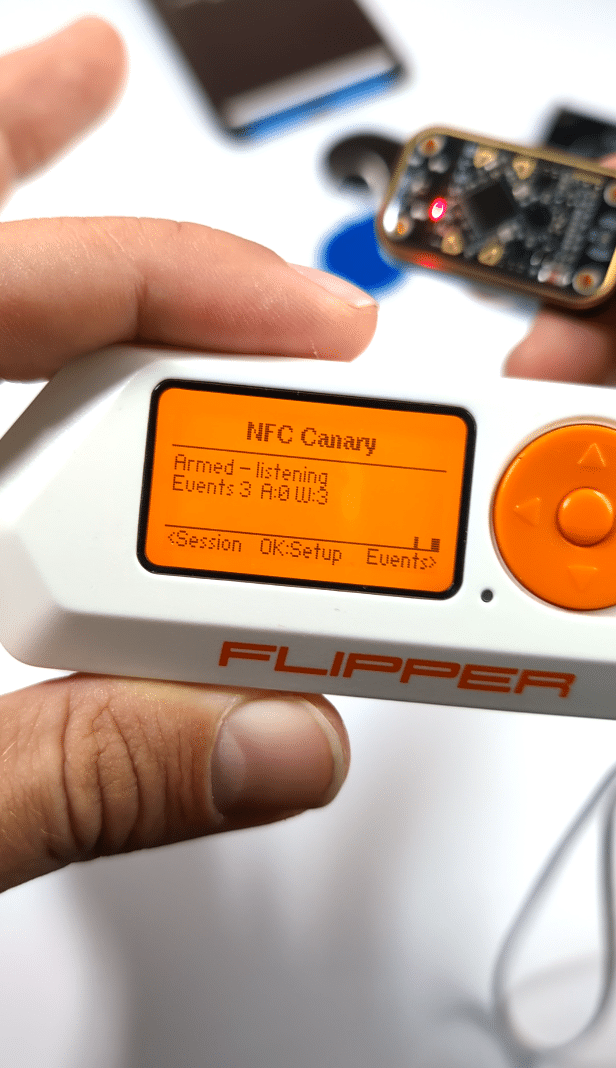
Think of it as a smoke detector for NFC activity.
Its purpose is surprisingly simple:
Whenever a nearby NFC reader begins communicating with cards around you, NFC Canary vibrates and records the event.
Unlike many Flipper applications, it isn’t trying to read cards or emulate them.
Instead, it’s there to tell you: “Hey, somebody nearby is actively using an NFC reader.“
This concept is interesting because NFC interactions normally happen completely silently. Without specialized hardware, most people would never know they were being scanned.
Why Would Someone Scan Your Cards?
The answer depends on the attacker and their goal. Some examples include:
Access Card Cloning
Some access control systems still rely on older card technologies that may be vulnerable to copying or emulation.
An attacker could try to collect enough information to impersonate a legitimate badge. Modern systems are generally much better protected, but older deployments still exist.
Payment Card Relay Attacks
Instead of cloning a payment card, some attacks attempt to relay communication between a genuine card and a payment terminal. In simple terms, the attack tries to convince the terminal that the real card is present somewhere nearby when it actually isn’t.
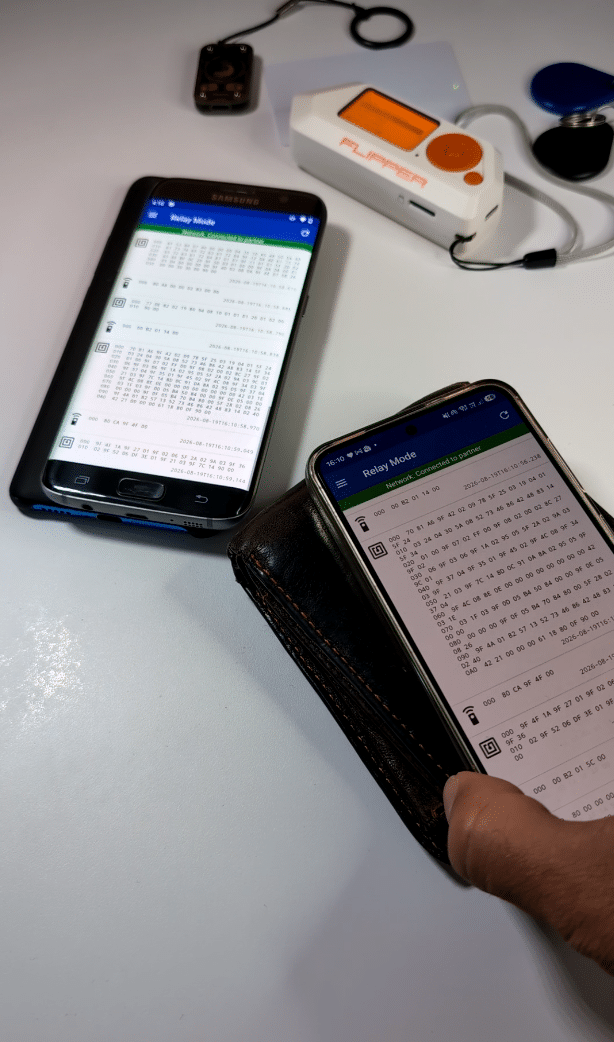
These attacks are significantly more complicated than what movies often portray, but they remain an active area of security research.
What NFC Canary Cannot Do
It’s important to understand its limitations. NFC Canary is not a security shield.
It does not:
- Block NFC communication
- Prevent card cloning
- Prevent relay attacks
- Identify the attacker
- Tell you which device performed the scan
- Stop someone from continuing their activity
All it does is provide awareness.
How to Actually Protect Your Cards
If your goal is prevention rather than detection, physical protection is still your best option.
RFID-Blocking Wallets
These wallets contain shielding material designed to prevent NFC communication when your cards are stored inside.
RFID-Blocking Sleeves
Individual sleeves can protect specific cards and are usually inexpensive.
Shielded Badge Holders
Many organizations issue access badges inside shielded holders to reduce the risk of unauthorized reads.
Be Aware of Your Surroundings
Most NFC attacks require close physical proximity. Someone usually needs to get their equipment near your card to communicate with it. Awareness alone can often be a surprisingly effective defense.
An Interesting Future Idea
While testing NFC Canary, I had another thought.
What if something similar existed for the Chameleon Ultra? The Chameleon Ultra is significantly smaller than a Flipper Zero and easier to carry discreetly every day. Imagine carrying a tiny NFC monitoring device in your pocket that automatically sends a Bluetooth notification to your smartphone whenever somebody attempts an NFC scan nearby.
That could make NFC detection even more practical for everyday use.
Final Thoughts
NFC Canary won’t stop attackers. It won’t magically protect your cards.
But it solves a problem that most people never even realize exists: NFC interactions are invisible.
Whether somebody is trying to identify your access badge, interact with a payment card, or collect information about the cards you’re carrying, NFC Canary gives you a chance to notice that something unusual is happening. And in the world of NFC security, visibility is often the first step toward protection.